GA4 Event Naming Conventions: A Practical Framework That Scales With Your Team
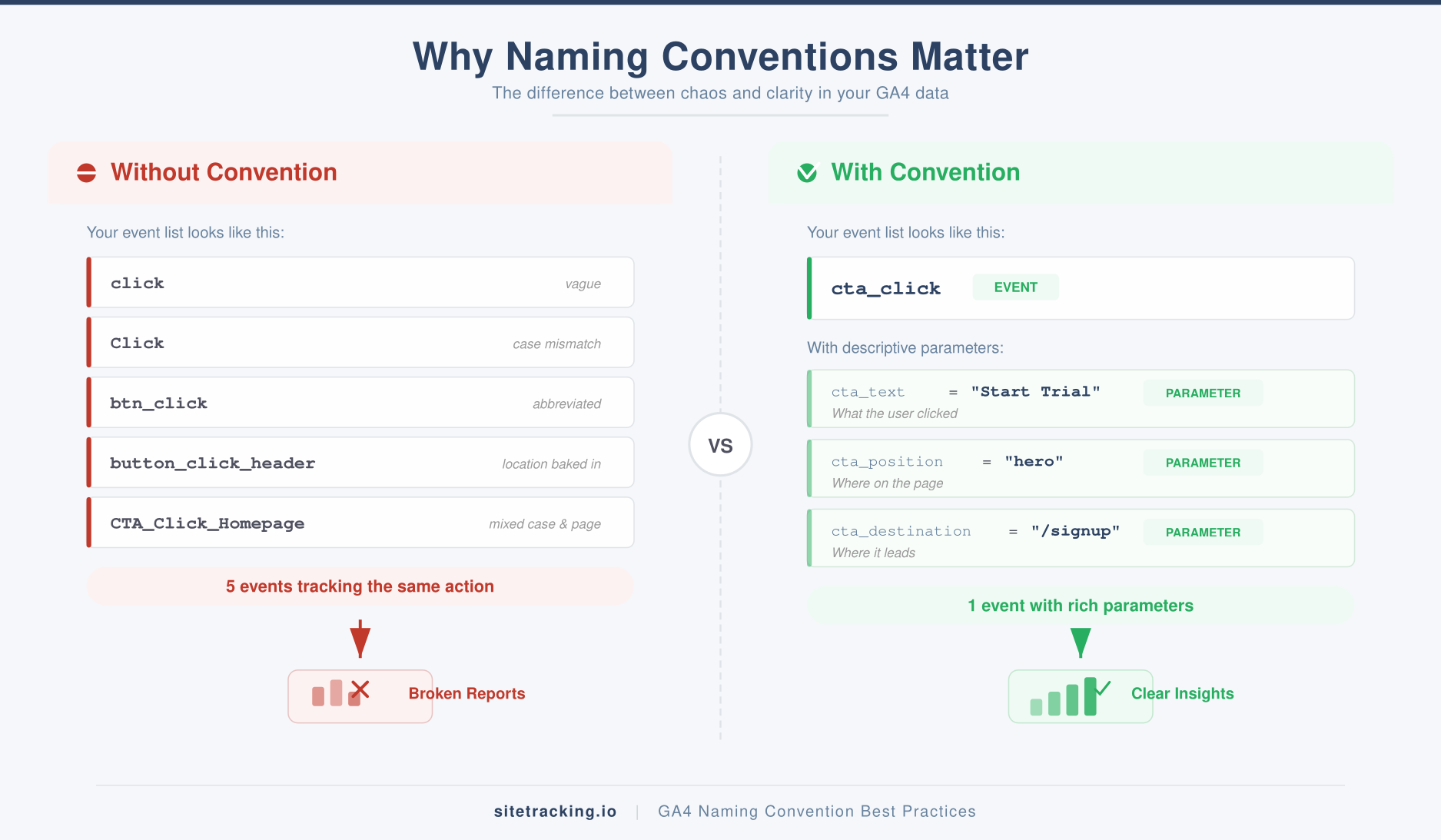
You open your GA4 event report and see click, Click, btn_click, button_click_header, and CTA_Click_Homepage. Five events that probably track the same thing. Sound familiar?
Bad GA4 event naming conventions are the silent killer of analytics quality. They don’t break anything immediately — your tags still fire, your reports still load. But six months later, when you need to answer a real business question, you’re staring at a mess nobody can interpret.
In this guide, I’ll share the naming framework I use for every GA4 implementation. It’s simple enough for a solo marketer to follow and structured enough to scale across a 20-person team. No overthinking — just rules that work.
Why GA4 event naming conventions matter more than you think
GA4 is event-based. Every interaction — page views, clicks, scrolls, purchases — is an event. Unlike Universal Analytics, there’s no rigid category/action/label structure. That flexibility is powerful, but it also means there’s nothing stopping your team from creating chaos.
Here’s what happens without a naming convention:
- Duplicate events — Different team members create separate events for the same action.
- Inconsistent casing — GA4 treats
Form_Submitandform_submitas different events. This alone can split your data in half. - Vague names — Events like
clickorevent1tell you nothing six months later. - Impossible filtering — Without consistent patterns, you can’t use regex or wildcards to group related events in reports.
- Wasted custom event quota — GA4 allows up to 500 distinct event names. Duplicates eat into that limit fast.
In other words, naming conventions aren’t about being tidy. They’re about making your data usable. For a broader perspective on what events to track in the first place, check our guide on what counts as a conversion event.
GA4’s built-in naming rules
Before building your own convention, understand the constraints GA4 enforces. These are hard limits — not suggestions.
- Event names are case-sensitive —
page_viewandPage_Vieware different events. - Names must start with a letter — no numbers or special characters first.
- Only letters, numbers, and underscores are allowed — no hyphens, spaces, or dots.
- Maximum 40 characters per event name.
- Up to 500 uniquely named events per property (not counting automatically collected events).
- Names starting with
google_orfirebase_are reserved — don’t use them.
Google recommends using recommended events wherever they fit your use case. These come with pre-built reporting features. However, most implementations need custom events too — and that’s where your naming convention takes over.
The naming framework: object_action pattern
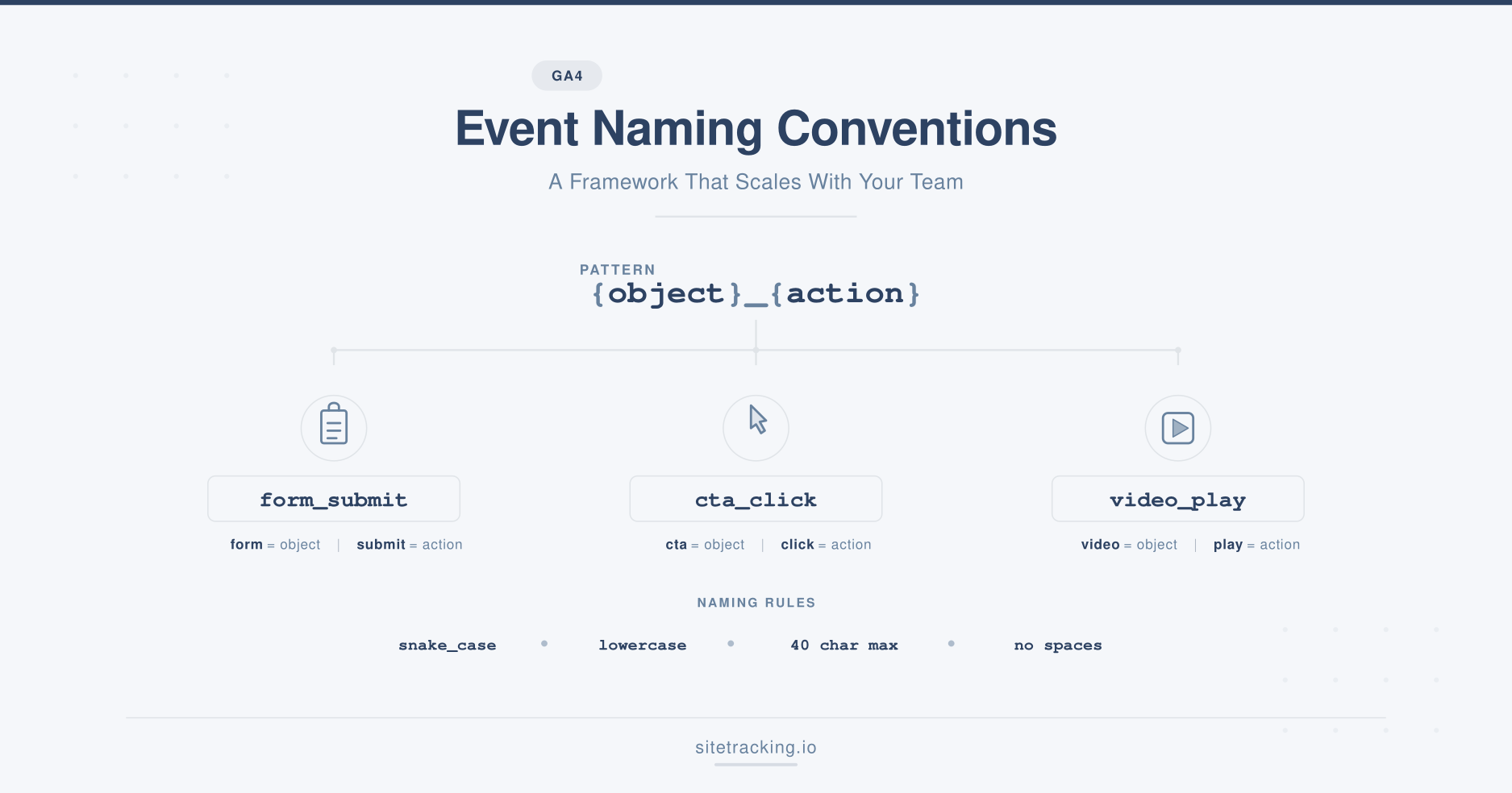
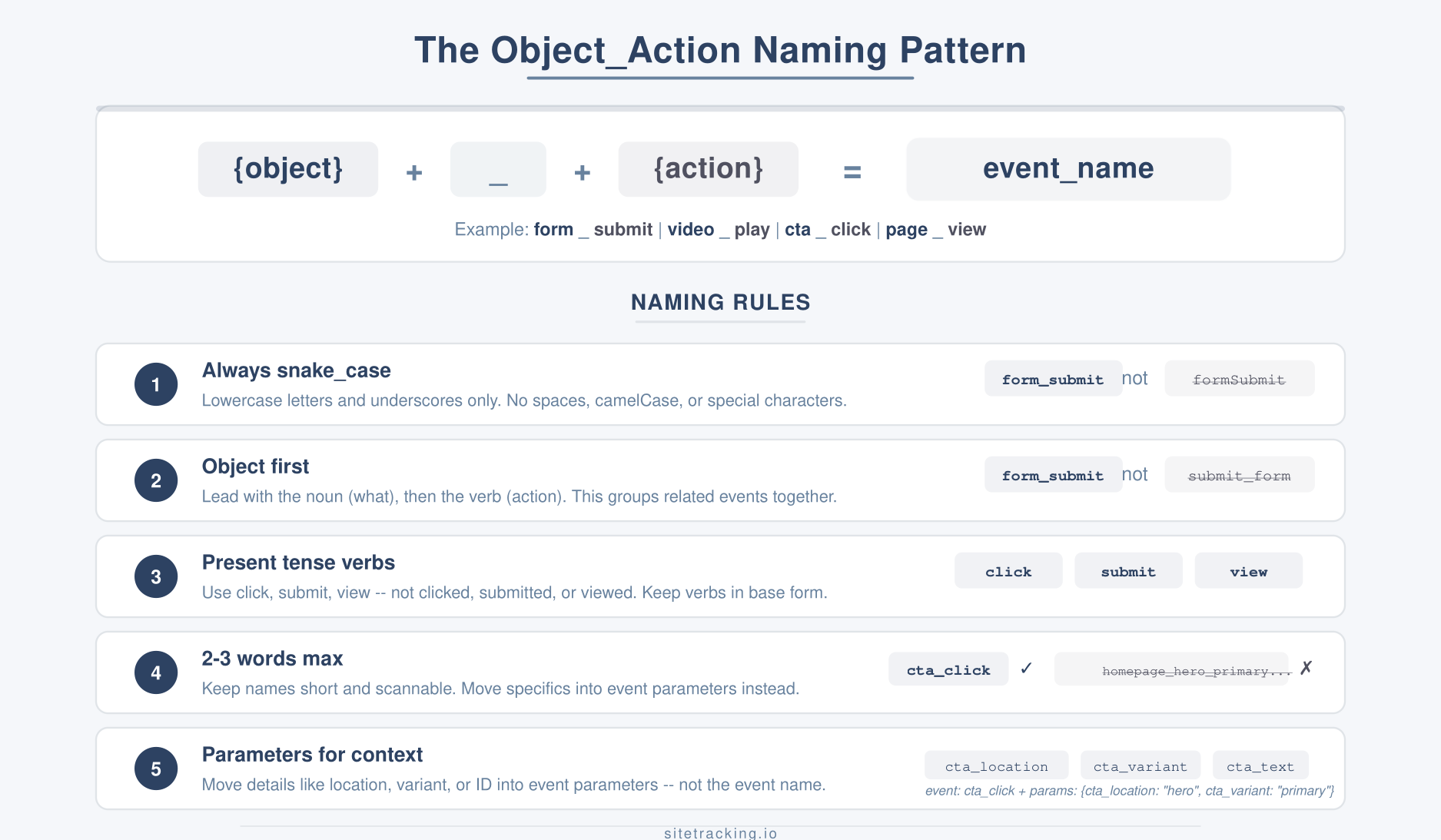
The core of a good GA4 naming convention is the object_action pattern. Name your events by combining what the user interacted with and what they did.
Here’s the structure:
{object}_{action}
For example:
form_submit— a form was submittedvideo_play— a video started playingcta_click— a call-to-action button was clickednav_click— a navigation link was clickedfile_download— a file was downloadedchat_open— a chat widget was opened
This pattern works because it’s predictable. Anyone on your team can guess the event name without checking documentation. Additionally, because the object comes first, all related events group together alphabetically in reports — form_submit, form_start, form_abandon all appear next to each other.
Rules for the object_action pattern
To keep things consistent, follow these rules:
- Always use snake_case — lowercase with underscores. Never camelCase, PascalCase, or kebab-case.
- Object first, action second —
form_submit, notsubmit_form. This keeps related events grouped. - Use present tense verbs —
click,submit,view,start,complete. Not past tense likeclickedorsubmitted. - Be specific but concise —
cta_clickis better thanclick(too vague) andhomepage_hero_section_primary_cta_button_click(too verbose). Aim for 2-3 words. - Use parameters for context — Don’t encode location or variant into the event name. Use event parameters instead. More on this below.
Event parameters: where the detail lives
Here’s a common mistake: teams try to pack every detail into the event name itself. They end up with form_submit_contact_homepage_v2. That’s not a name — it’s a sentence.
Instead, keep the event name clean and move context into event parameters. For example:
| Event Name | Parameter | Value |
|---|---|---|
form_submit | form_name | contact, demo_request, newsletter |
form_submit | page_location | /pricing, /homepage, /landing-q1 |
cta_click | cta_text | Start Free Trial, Book a Demo |
cta_click | cta_position | hero, sidebar, footer |
video_play | video_title | Product Overview, Customer Story |
This approach gives you far more analytical flexibility. You can filter form_submit events by form_name to see which forms perform best. You can segment cta_click by cta_position to discover whether hero CTAs outperform footer ones. As a result, you get the detail without the naming chaos.
GA4 allows up to 25 custom parameters per event. Register the important ones as custom dimensions in GA4 Admin so they appear in your reports.
Standard event vocabulary
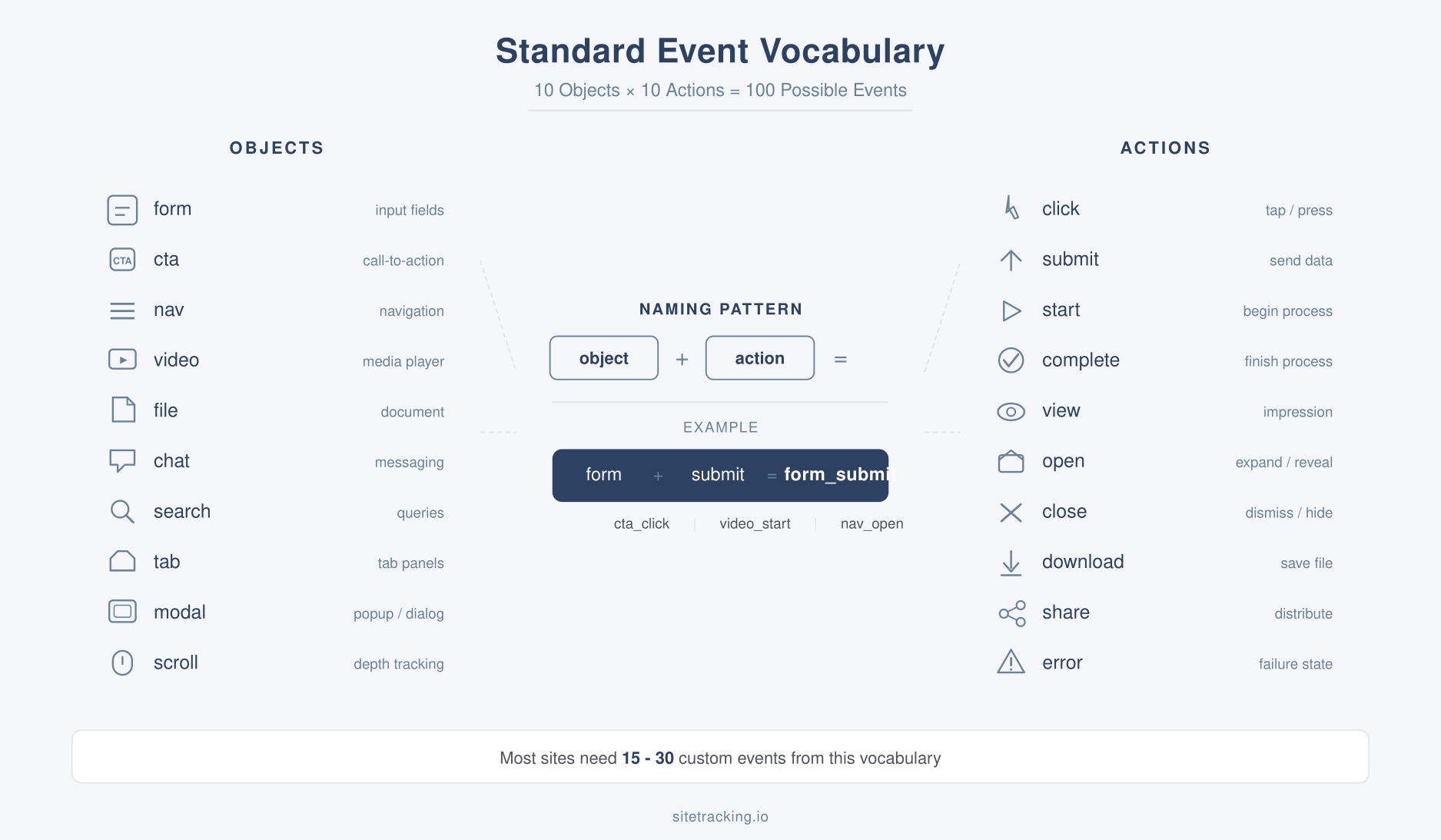
Consistency requires a shared vocabulary. Here are the objects and actions I recommend as your starting point. Adopt these as-is or adapt them — the important thing is that your whole team uses the same words.
Common objects
| Object | Use For |
|---|---|
form | Any form interaction |
cta | Call-to-action buttons |
nav | Navigation menus |
video | Video player interactions |
file | File downloads |
chat | Chat widget interactions |
search | Site search |
tab | Tab or accordion interactions |
modal | Popup or modal dialogs |
scroll | Scroll depth milestones |
Common actions
| Action | Use For |
|---|---|
click | Any click interaction |
submit | Form or data submission |
start | Beginning a process (form_start, video_start) |
complete | Finishing a process |
view | Element became visible |
open | Opening a widget, modal, or menu |
close | Closing a widget, modal, or menu |
download | File download initiated |
share | Social sharing action |
error | Error encountered |
With 10 objects and 10 actions, you can name 100 different events — and every one of them will be instantly understandable. Most websites need 15-30 custom events. This vocabulary handles that comfortably.
Real-world naming examples by industry
Theory is useful, but let’s see how this applies in practice. Here are naming conventions for three common website types.
SaaS product
signup_start— user began registrationsignup_complete— registration finishedtrial_activate— free trial activatedfeature_use— key feature used (param:feature_name)plan_select— pricing plan selected (param:plan_tier)upgrade_complete— paid upgrade finished
Lead generation site
form_view— form became visible on screenform_start— first field interactionform_submit— form submitted (param:form_name)cta_click— CTA button clicked (param:cta_position)phone_click— phone number link clickedchat_open— live chat widget opened
Content/media site
article_view— article page loaded (param:category)scroll_milestone— scroll depth reached (param:percent)newsletter_subscribe— email subscription completedsocial_share— article shared (param:platform)paywall_hit— paywall shown to usercomment_submit— comment posted
Notice how every event follows the same pattern. Even without documentation, a new team member can read these names and understand exactly what they track.
Common GA4 event naming mistakes
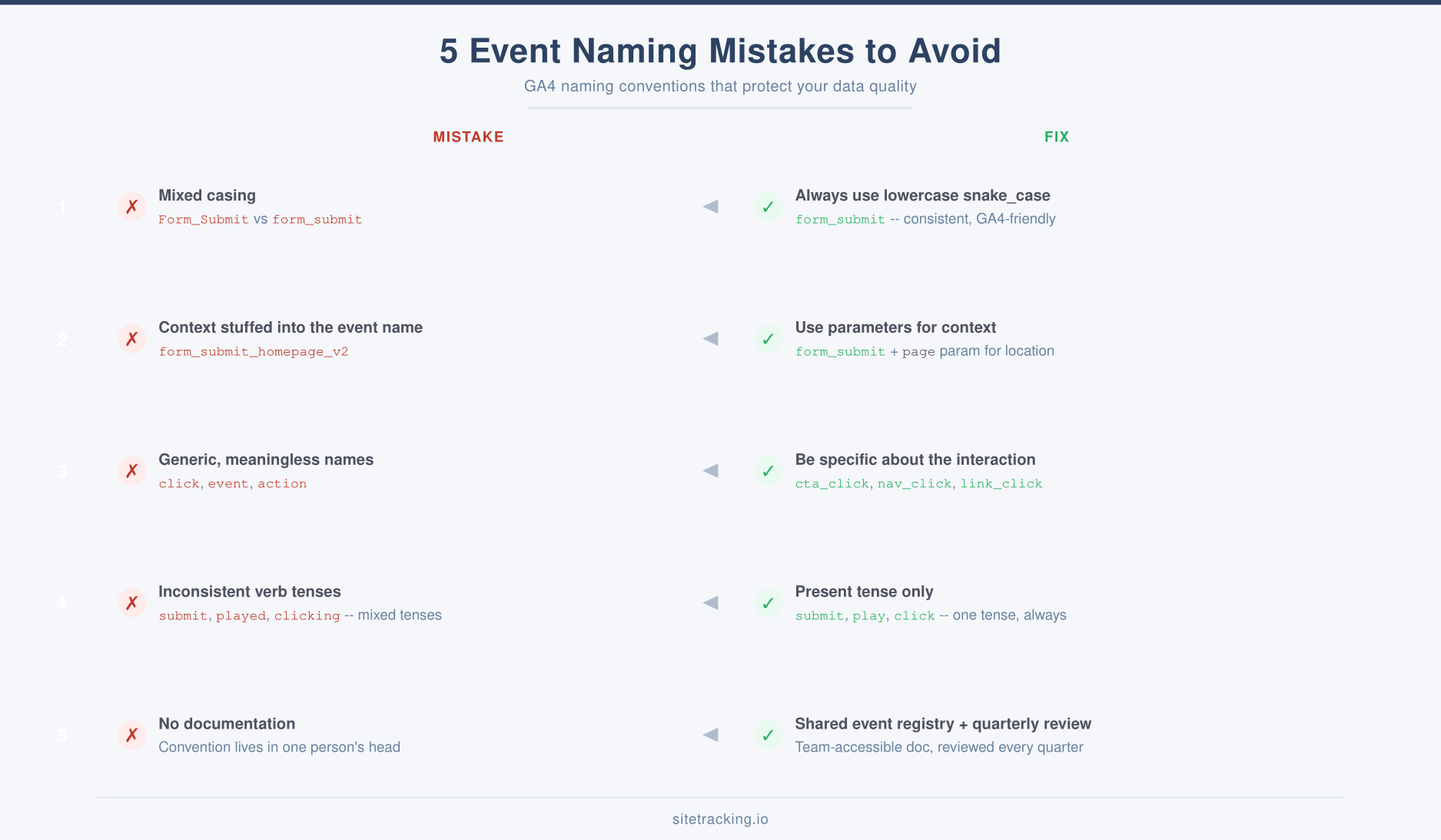
In my experience auditing GA4 implementations, these five mistakes appear in nearly every account that doesn’t have a documented naming standard.
- Mixed casing. Having
Form_Submit,form_submit, andFORM_SUBMITin the same property. GA4 counts each as a separate event. Always use lowercase snake_case. - Encoding context in the name. Events like
form_submit_homepage_v2_englishshould beform_submitwith parameters for page, version, and language. - Using generic names. Events named
clickoreventare useless in reports. Be specific about the object:cta_click,nav_click,link_click. - Inconsistent verb tense. Mixing
form_submitwithvideo_playedandcta_clicking. Pick present tense and stick with it. - No documentation. Even the best naming convention fails if it only lives in one person’s head. Write it down, share it, and review it quarterly.
How to implement your naming convention
Having rules on paper is step one. Making them stick across your team is the real challenge. Here’s a practical implementation process.
Step 1: Audit your current events
Go to GA4 → Admin → Events and export your full event list. Flag duplicates, inconsistent names, and events with no clear purpose. In most accounts, 30-40% of custom events can be consolidated or removed.
Step 2: Create your event registry
Build a simple spreadsheet with columns for: event name, description, parameters, trigger condition, and owner. This becomes your single source of truth. Everyone who creates or modifies events must update this document first.
Step 3: Enforce through GTM
If you use Google Tag Manager, create a naming validation rule. Use a custom template or a lookup table that maps trigger types to approved event names. This prevents anyone from accidentally pushing non-standard events to production.
Step 4: Review quarterly
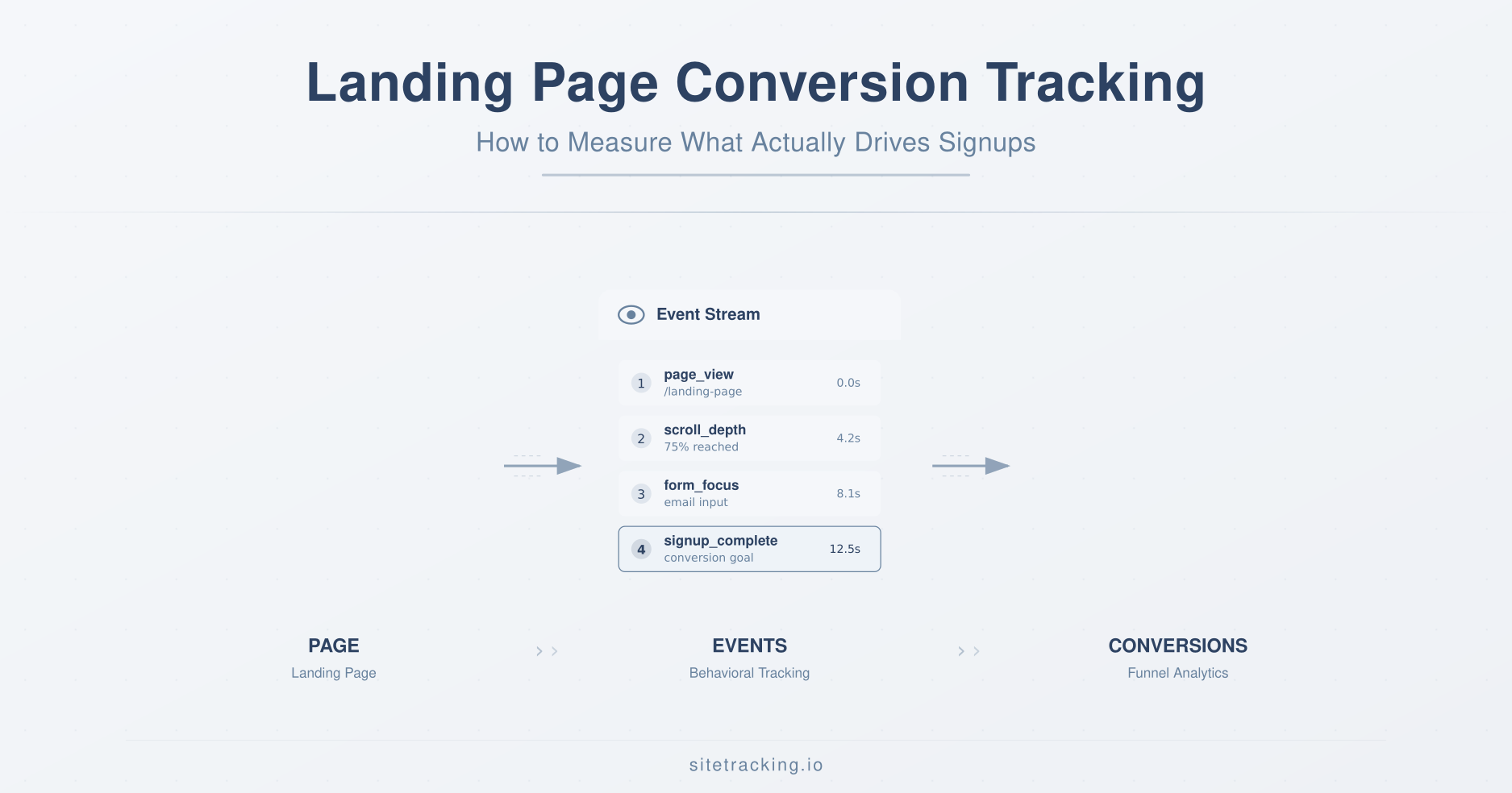
Set a calendar reminder to audit your events every quarter. Look for: new unnamed events, events with zero traffic (dead tags), and naming drift. This keeps your implementation clean as your site evolves. For landing pages specifically, make sure your conversion tracking setup follows the same naming standards.
Frequently Asked Questions
Should I rename GA4’s automatically collected events?
No. Events like page_view, first_visit, and session_start are managed by GA4 and follow Google’s own naming convention. Don’t try to override them. Instead, focus your convention on custom events — the ones you create yourself through GTM or gtag.js.
Can I rename existing events in GA4?
GA4 has a “Modify Events” feature that lets you rename events on the fly. However, this only affects new data — historical events keep their old names. For a clean break, update your GTM tags to use the new names and keep the old events running in parallel for a transition period. After 30 days, disable the old tags.
How many custom events should a typical site have?
Most websites need 15-30 custom events. If you have fewer than 10, you’re probably missing important interactions. If you have more than 50, you likely have duplicates or overly specific event names that should be consolidated using parameters. The 500-event limit in GA4 is generous — the real constraint is keeping your reports manageable.
Key takeaways
- Use the object_action pattern —
form_submit,cta_click,video_play. Object first, action second. - Always use snake_case — GA4 is case-sensitive. Mixed casing creates invisible data splits.
- Move context into parameters — Don’t encode page names, versions, or variants into the event name.
- Maintain an event registry — A shared spreadsheet prevents duplicates and keeps your team aligned.
- Audit quarterly — Events accumulate silently. Regular reviews prevent naming drift.
- Start with GA4’s recommended events — Then extend with custom events that follow your naming convention.
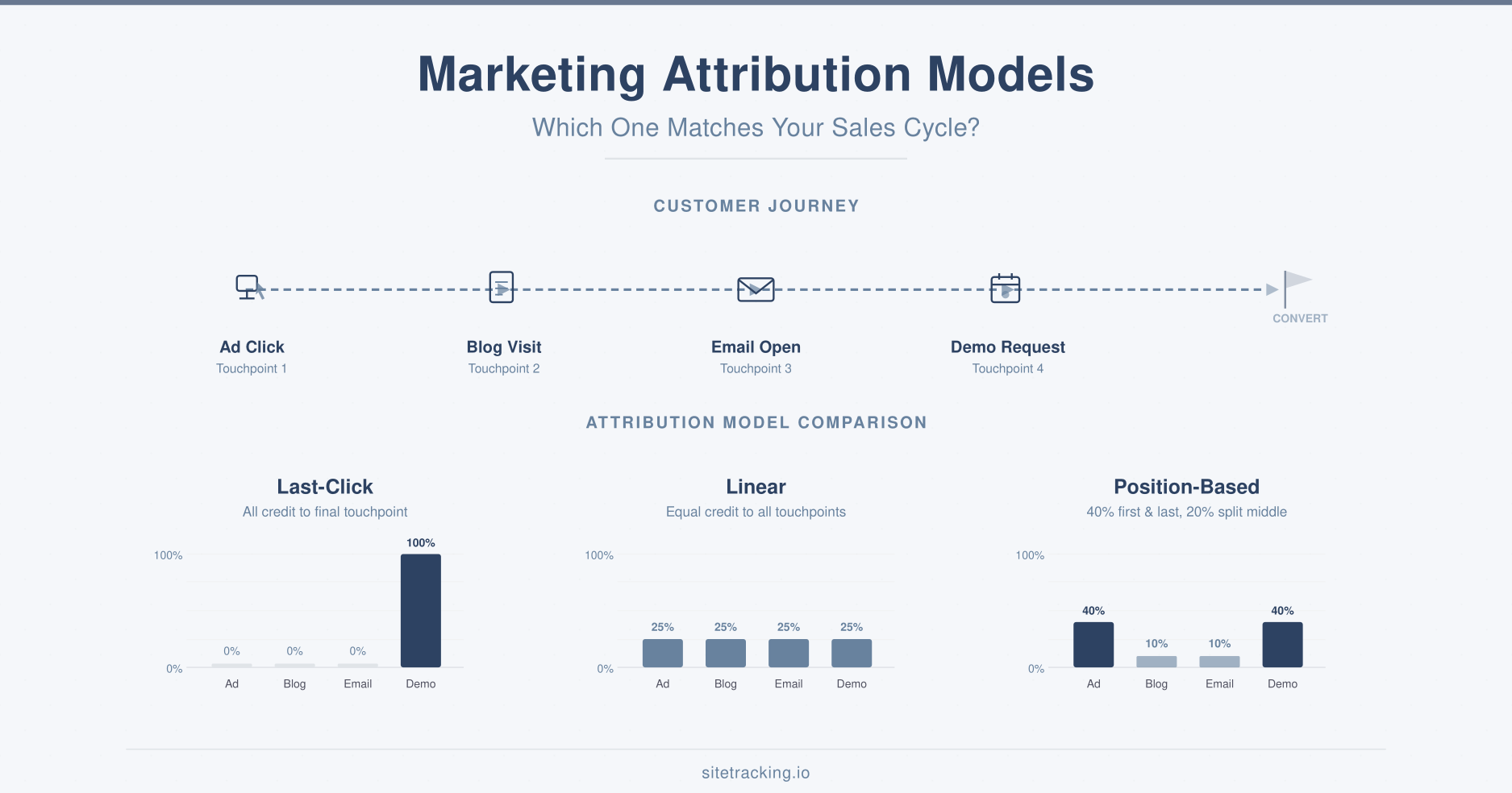
Good GA4 event naming conventions aren’t glamorous work. But they’re the foundation that every dashboard, funnel report, and attribution model sits on. Get the names right, and everything downstream gets easier. Get them wrong, and no amount of sophisticated analysis can save you from bad data.